
How Many Email Accounts Do You Actually Need for Cold Email Campaigns?
The formula for calculating how many email accounts you need is simple: take your target daily send volume and divide by 30. That gives you the number of inboxes required to stay within safe per-mailbox limits. For 100 emails per day, you need four inboxes. For 300 per day, you need ten. For 500 per day, you need seventeen. To work backwards from a revenue target to the volume and inbox count you need, our outreach ROI calculator does the math for you.
Getting this infrastructure right before you start sending is the difference between a cold email campaign that builds pipeline and one that burns your domain in the first week. This guide covers the complete setup: how many inboxes, how many domains, how to structure warm-up across multiple accounts, how inbox rotation works, and the exact cost at each volume tier.
The Two-Inbox-Per-Domain Rule
The single most important infrastructure rule is to use a maximum of two inboxes per domain. Here is why: if one inbox on your domain gets flagged for spam, the domain-level reputation damage affects all inboxes on that domain. With two inboxes per domain, one flagged inbox takes down one other inbox with it. With five inboxes per domain, one flagged inbox can take down your entire daily sending capacity from that domain.
Two inboxes per domain also gives you a healthy per-domain daily volume of 60 cold emails at 30 per inbox per day, manageable and well within what ESPs consider normal business email activity from a single domain. Using this rule, your infrastructure planning becomes: target daily sends divided by 60 equals number of domains needed.
Email Infrastructure Required by Daily Send Volume
Domain Selection and Naming Strategy
Your sending domains should be variations of your main business domain, close enough to look legitimate, different enough to protect your main domain's reputation. If your business is acme.com, your sending domains might be getacme.com, tryacme.com, acme-mail.com, or acmehq.com. Never send cold email from your primary business domain, if it gets flagged, your main email is affected.
Avoid domains with hyphens (they look spammy), numbers, unusual TLDs (.info.biz.click), and anything that looks like a throwaway. Stick to .com domains with real company-sounding names. Set up a basic one-page landing page on each sending domain, even a simple page with your agency name and a contact email. Domains with no web presence score lower on trust signals.
Buy your domains at least two weeks before you plan to start warm-up. Email service providers apply additional scrutiny to brand-new domains, and having the domain age a bit before you start sending helps establish a baseline of normalcy.
Account Setup for Each Inbox
Use Google Workspace or Microsoft 365 for all cold email accounts, never free Gmail or Hotmail addresses. The professional email services have higher trust signals with receiving ESPs, and the business account structure makes it easier to manage multiple inboxes. Google Workspace Business Starter is $6 per user per month and covers everything you need.
For each inbox: use a real human name (james@, sarah@, michael@), add a professional signature with your name, title, company, and phone number, upload a profile photo to the account, and send five to ten manual emails to real contacts before starting automated warm-up. These setup steps take 15 minutes per inbox but meaningfully reduce the likelihood of the account getting flagged during warm-up.
Configure SPF, DKIM, and DMARC for each domain before starting warm-up. These DNS records are mandatory, a domain without proper authentication fails basic deliverability checks and will not survive warm-up. Once they are published, confirm each domain passes with our email domain checker before you load any inboxes into warm-up. Our SPF/DKIM/DMARC setup guide covers the exact configuration for Google Workspace and Microsoft 365.
Warm-Up Scheduling Across Multiple Accounts
When you are setting up multiple inboxes, stagger your warm-up starts rather than starting all inboxes simultaneously. If you start all ten inboxes on the same day, you will have all ten ready for cold sending at the same time, which creates an all-or-nothing situation where a bad week can derail your entire campaign.
The staggered approach: start Batch 1 (two to three inboxes) in Week 1. Start Batch 2 in Week 2. Start Batch 3 in Week 3. Continue until all inboxes are in warm-up. By the time Batch 1 completes warm-up and is ready for cold sending (Week 5), Batch 2 is in Week 4 of warm-up, Batch 3 is in Week 3, and so on. You now have a rolling pipeline of inboxes at different stages of maturity, ensuring you always have fresh inboxes coming into the rotation to replace any that experience issues.
Inbox Rotation Configuration
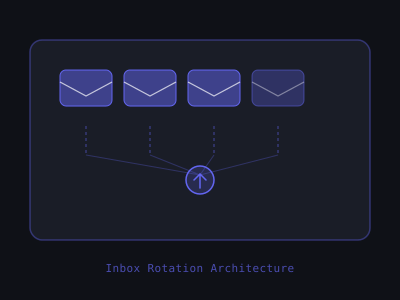
Inbox rotation is the automatic distribution of your sending volume across all your active inboxes. You configure it once in your sending tool and the tool handles the rest. In Instantly, you add all your inboxes to a single sending account and enable rotation in campaign settings. In Smartlead, you add inboxes to a "mailbox pool" and assign the pool to a campaign. In Lemlist, you set up a multi-sender campaign with your inboxes.
With rotation enabled, when you send a campaign to 500 prospects, your tool automatically distributes the 500 sends across your 17 inboxes, approximately 29 sends per inbox per day. Each inbox stays well within its safe daily limit, and the campaign delivers at full speed. No single inbox ever sees a suspicious volume spike.
Inbox Rotation Setup in Popular Sending Tools
Who Owns the Infrastructure: You or the Client?
For AI agency owners setting up cold email infrastructure for clients, always build the infrastructure in the client's name and under their billing. Register domains in the client's brand namespace, set up Google Workspace under their billing, and connect their inboxes to your sending tool. This keeps the sender reputation built during the engagement with the client, if you part ways, they retain the infrastructure they paid to build.
Building client infrastructure under your own accounts creates complexity when clients churn and undermines the trust of clients who want to own their business assets. It is also a compliance risk, sending cold email from your accounts on behalf of a client means your domain reputation is tied to their campaign quality, not yours.
For your own agency's outreach, keep your infrastructure completely separate from client infrastructure. Your agency's sending reputation is your most valuable outreach asset, protect it by never mixing it with client campaigns.
Program · 90 days
Client Accelerator bundles the demo software with live coaching.
A one-time $1,499 purchase, or 4 interest-free payments of $374.75. Includes Ciela AI with 150 personalized demos each month throughout the program, the 90-Day AI Client System, two live group coaching calls every week, sales and outreach templates, 200+ n8n workflow templates, and private Build With Adhiraj resources.
See what is includedCiela AI is the demo platform for AI agencies and AI consultants. It turns any prospect's website into a live, personalized AI demo (chat, voice, or missed-call text-back) you can send before the first call.
Start Client AcceleratorCiela AI pricingAgent builds by nicheAll articles
Community · Training
Join Build With Adhiraj free.
Build With Adhiraj is the free community for people building and growing AI service businesses. Learn alongside other operators as you package, demonstrate, sell, and deliver practical AI systems.
Join Build With Adhiraj free