
How to Avoid Spam Filters in Cold Email Campaigns in 2026
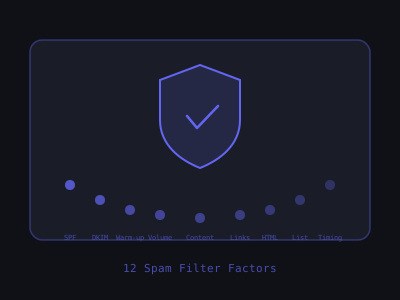
Modern spam filters are not simple keyword blockers. Gmail, Outlook, and Yahoo use machine learning models trained on billions of emails to score every inbound message across hundreds of signals simultaneously. A single trigger won't tank you, but combinations of signals compound into a verdict, and that verdict happens in milliseconds before your email ever reaches an inbox.
The landscape has shifted considerably since 2024. Google and Yahoo rolled out stricter sender requirements that made authentication non-negotiable. Microsoft followed with its own enforcement in Outlook and Hotmail. The result is a filtering ecosystem that punishes sloppy sending infrastructure harder and faster than ever before. Senders who relied on brute-force volume to compensate for poor deliverability have been effectively shut out.
This guide covers the 12 specific factors that trigger spam filters in cold email, with the exact fix for each one. Not vague advice, specific, actionable changes you can make today to improve inbox placement. Whether you are running outreach for your own business or managing campaigns on behalf of clients, these 12 factors account for the vast majority of deliverability problems we see across thousands of cold email accounts.
Factor 1: Missing or Misconfigured Authentication Records
SPF, DKIM, and DMARC are not optional. Emails that fail authentication checks are treated as high-risk by every major provider. Gmail's spam filter explicitly penalizes emails that fail DMARC alignment.
SPF (Sender Policy Framework) tells receiving servers which IP addresses are authorized to send email on behalf of your domain. DKIM (DomainKeys Identified Mail) attaches a cryptographic signature to every outgoing message so the receiver can verify it was not tampered with in transit. DMARC (Domain-based Message Authentication, Reporting & Conformance) ties SPF and DKIM together and tells receiving servers what to do when either check fails, quarantine the message, reject it outright, or let it through with a warning.
The most common misconfiguration we see is partial setup: SPF is configured, DKIM is configured, but DMARC is either missing entirely or set to p=none with no reporting address. A DMARC policy of p=none technically passes the check, but it tells spam filters that you are not confident enough in your own authentication to enforce it. For cold email, you want p=quarantine at minimum. The second most common issue is SPF records that exceed the 10-DNS-lookup limit, which silently causes SPF to fail on every email you send without any visible error on your end.
Fix: Verify all three records are correctly configured before any campaign. Our email domain checker gives you a quick read on whether your SPF, DKIM, and DMARC are set up correctly. Use MXToolbox to check each record resolves. Your Mail-tester.com score should be 9–10/10. Specifically, send a test email to the address Mail-tester provides, then review the detailed report. Pay attention to the SPF lookup count, DKIM signature validity, and DMARC alignment. If your SPF record is over 10 lookups, flatten it using a service like AutoSPF or manually consolidate your include statements. For the full setup walkthrough, see our cold email infrastructure setup guide.
Factor 2: Sending from a New or Unwarmed Domain
New domains have no sending reputation. When a domain with zero history suddenly sends 100 cold emails on its first day, spam filters interpret this as a throwaway domain, a classic spammer pattern. The email likely goes to spam or gets blocked entirely.
Domain age matters, but domain reputation matters more. A domain that has existed for two years but never sent email is treated almost the same as a brand-new domain. Reputation is built exclusively through sending history and recipient engagement. There is no shortcut, you cannot buy reputation, and you cannot transfer it from one domain to another.
The warm-up process works by simulating organic email activity. A warm-up tool sends emails from your inbox to a network of real inboxes, and those inboxes automatically open the emails, reply to them, and mark them as not-spam if they land in the junk folder. Over time, this builds a pattern of positive engagement that establishes your domain as a legitimate sender. The minimum effective warm-up period is 30 days, but 45 days produces noticeably better results in our testing. Domains warmed for 45 days before campaign launch consistently achieve 15–20% better inbox placement rates in the first week of sending compared to 30-day warm-ups.
Fix: Warm up every domain for a minimum of 30–45 days before cold campaigns. Use a dedicated warm-up tool (Instantly Warmup, Lemwarm, Mailreach) that sends from your inbox to a network of real inboxes and generates positive engagement signals (opens, replies, not-spam classifications). Never send cold email from a domain less than 30 days old. If you are scaling and need multiple sending domains, stagger your domain purchases and start warming each one immediately upon acquisition so they are ready when you need them.
Factor 3: Sending Volume Spikes
A sudden jump in sending volume is a red flag. If your inbox was sending 20 emails per day during warm-up and suddenly jumps to 200 on day one of your campaign, that pattern triggers algorithmic review.
Spam filters track your sending velocity over time and build an expected baseline. Deviations from that baseline, especially sharp upward spikes, trigger additional scrutiny on every email sent during the spike. This is one of the reasons agencies get burned when they onboard a new client and immediately blast their full prospect list. The correct approach is always a gradual ramp.
A practical ramp schedule for a freshly warmed inbox looks like this: Week 1 of campaign, send 20–30 emails per day. Week 2, increase to 40–50. Week 3, increase to 60–75. Week 4 and beyond, hold at your target volume, which for most cold email senders should not exceed 50–75 emails per inbox per day. If you need higher total volume, add more inboxes rather than pushing a single inbox beyond its safe sending limit. Three inboxes sending 50 emails each is dramatically safer than one inbox sending 150.
Fix: Ramp sending volume gradually. Don't exceed the maximum daily volume you reached during warm-up. Keep warm-up running in the background while campaigns are active, it provides a floor of positive engagement that helps absorb the campaign volume increase. Monitor your inbox placement daily during the first two weeks of any new campaign using a tool like GlockApps or InboxAlly, and reduce volume immediately if you see placement dropping below 80%.
Factor 4: High Spam Complaint Rate
Google's spam guidelines state that spam complaint rates above 0.10% trigger throttling, and above 0.30% trigger significant penalties. One complaint per 333 emails is the threshold. Cold email inevitably generates some complaints, the goal is to stay well below the threshold.
To monitor your spam complaint rate, set up Google Postmaster Tools for every sending domain. Postmaster Tools gives you direct visibility into how Google categorizes your emails, your domain reputation score (High, Medium, Low, Bad), and your exact spam complaint rate. If you are not checking Postmaster Tools at least weekly, you are flying blind. Many senders do not discover their domain reputation has tanked until their reply rates collapse, by which point the damage takes weeks to repair.
The single biggest driver of spam complaints in cold email is poor targeting. When you email someone who has zero relevance to your offer, a dentist receiving an email about e-commerce fulfillment software, for example, that person is far more likely to hit the spam button than simply delete the email. Every spam complaint costs you disproportionately more than the value of sending to that irrelevant contact.
Fix: Target only relevant prospects. A well-targeted list to people who could genuinely benefit from your offer generates far fewer spam complaints than a broad spray of irrelevant emails. Also include an easy opt-out option in your signature, prospects who can unsubscribe easily are less likely to hit the spam button. A simple line like "Not relevant? Let me know and I won't follow up" gives recipients an exit that does not damage your domain reputation.
Factor 5: Spam Trigger Words in Subject Lines and Body
Certain phrases are statistically overrepresented in spam emails. Filters penalize emails that use these patterns, especially in subject lines. While modern filters use contextual analysis rather than simple keyword matching, the presence of multiple trigger phrases in a single email still compounds into a meaningful negative signal.
The logic behind trigger word detection has evolved. In 2020, filters looked for individual keywords. In 2026, they analyze phrase-level patterns, sentiment, and the relationship between the subject line and body content. An email with a subject line that promises a specific outcome paired with body copy that uses urgency language and includes a link to a landing page triggers a much stronger spam signal than any single element would alone.
Common spam trigger phrases in cold email context:
- "100% free" / "completely free" / "free trial" (use "no cost" or "complimentary" instead)
- "Guaranteed results" / "risk-free"
- "Act now" / "don't miss out" / "limited time"
- "Click here" / "click below"
- "Increase sales" / "boost your revenue" (overused; too generic)
- "Make money" / "earn extra"
- ALL CAPS anywhere in subject line
- Excessive exclamation marks!!!
Beyond individual words, watch for pattern combinations. A subject line containing a number plus a benefit claim ("5X your pipeline") paired with body copy containing a link and a call-to-action verb ("schedule" "book" "sign up") triggers pattern matching that single elements would not. The safest approach is to write subject lines that sound like internal communication, something a coworker would send, not something a marketer would write. Subject lines like "quick question about [specific thing]" or "[prospect company] + [your company]" consistently outperform clever marketing copy in both deliverability and open rates.
Fix: Use conversational language. Write like you'd write to a colleague. Run your email through Mail-tester.com and SpamAssassin analysis before campaigns. Test at least three subject line variations before scaling, and use the one with the highest inbox placement rate, not just the highest open rate. Our subject line generator can produce conversational variations that stay clear of trigger-word patterns.
Factor 6: HTML-Heavy Emails
Beautifully designed HTML email templates look professional, but they look like marketing email to spam filters, not personal correspondence. Cold email should mimic personal email, which means plain text or minimal formatting.
The technical reason is straightforward: when you send an HTML email, the raw message contains both the visible text and a large block of HTML markup (div tags, style attributes, table structures, inline CSS). Spam filters calculate the ratio of visible text to total HTML code. Marketing emails typically have a low text-to-code ratio, lots of markup, relatively little actual text. Personal emails have a high ratio, almost all text, almost no markup. When your cold email has the HTML signature of a marketing blast, it gets routed accordingly.
This also affects the Gmail Promotions tab. Gmail's tab classification algorithm is separate from the spam filter but uses similar signals. HTML-heavy emails are far more likely to land in Promotions than Primary, even if they avoid the spam folder entirely. For cold email, the Promotions tab is nearly as bad as spam, most recipients never check it.
Fix: Use plain-text emails or minimal HTML (a simple signature is fine). No fancy templates, no custom fonts, no brand headers. If you must include formatting, test with GlockApps to verify inbox placement isn't affected. Plain text emails consistently outperform HTML in both deliverability and reply rate for cold outreach. If your team insists on a signature with a logo, keep it to a single small image (under 10KB) and minimal HTML, no tables, no background colors, no multiple font sizes.
Factor 7: Excessive or Suspicious Links
Each link in an email is evaluated: Does the destination domain have a clean reputation? Is this a URL shortener? Does it redirect through multiple intermediaries? Are there too many links for a "personal" email?
Link evaluation has become increasingly sophisticated. Spam filters now follow redirects to determine the final destination URL and assess the reputation of every domain in the redirect chain. If your tracking tool routes clicks through a shared tracking domain that is also used by thousands of other senders, some of whom are spammers, your emails inherit the reputation of that shared domain. This is why custom tracking domains are not optional for serious cold email senders.
URL shorteners like bit.ly and tinyurl are aggressively penalized because they are a primary tool of phishing attacks. Their entire purpose is to obscure the destination, which is exactly what malicious senders want. Even though many legitimate users use URL shorteners, the statistical association with spam and phishing is so strong that including one in a cold email is almost guaranteed to hurt your deliverability.
Fix:
- Maximum 1–2 links per cold email (ideally just 1)
- Never use bit.ly, tinyurl, or any URL shortener
- Hyperlink naturally within text rather than showing bare URLs
- Use a custom tracking domain, not your ESP's shared tracking domain
- Check destination domains against Spamhaus DBL and Google Safe Browsing before including them
One additional consideration: if you are linking to a landing page on your own website, make sure that page loads quickly, has a valid SSL certificate, and does not itself contain spam signals (aggressive popups, excessive tracking scripts, or thin content). Spam filters evaluate the landing page, not just the URL.
Factor 8: Image-Heavy Emails or Invisible Tracking Pixels
Multiple images in cold email are a spam signal. A single tracking pixel is acceptable, but bulk email marketers often embed large images or multiple pixels, so spam filters are trained to penalize image-heavy emails.
The tracking pixel question deserves specific attention. Most cold email platforms (Instantly, Smartlead, Lemlist) insert a 1x1 invisible pixel to track opens. One pixel is generally tolerated by spam filters, but it does add a small amount of risk. If your deliverability is already borderline, a newer domain, a slightly high bounce rate, or a lower-than-ideal engagement history, that one pixel can be the signal that tips you into spam. For campaigns where inbox placement is critical, consider disabling open tracking entirely and measuring engagement through reply rate instead. Reply tracking does not require a pixel and carries zero deliverability risk.
Fix: Include at most one small image (like your company logo in the signature). Keep the text-to- image ratio heavily weighted toward text. If you include a signature image, keep it under 100KB. For new domains or any inbox where deliverability is shaky, disable open tracking entirely and rely on reply rate as your primary engagement metric.
Factor 9: Sending to Invalid or Low-Quality Email Addresses
A high bounce rate (hard bounces from invalid addresses) is one of the clearest signals that an email sender has a low-quality list, a classic spam indicator. Even a 3–4% bounce rate can trigger spam filter escalation.
Beyond hard bounces, there are two other list quality issues that silently damage your deliverability. The first is spam traps, email addresses that look real but are controlled by anti-spam organizations or ISPs. Pristine spam traps are addresses that were never used by a real person and exist solely to catch senders who scrape or purchase email lists. Recycled spam traps are old addresses that were once real but have been abandoned and repurposed. Hitting a spam trap does not generate a bounce, the message is accepted silently, but it immediately flags your sending domain. The second issue is role-based addresses (info@, sales@, support@, admin@). These addresses are frequently monitored by spam-filtering systems and have higher complaint rates than personal addresses.
Fix: Verify every email address before sending. Use a verification service like NeverBounce, ZeroBounce, or Reoon. Remove hard bounces immediately. Aim for a bounce rate below 2%, under 1% is ideal. Clay's waterfall enrichment with email verification turned on is the most efficient way to achieve this at scale. Additionally, filter out role-based addresses and any address that has not been verified as deliverable within the last 30 days. Email addresses go stale, people change jobs, companies close, inboxes get deactivated. Re-verify your list every 30 days if you are running ongoing campaigns.
Factor 10: Same Content Sent at Scale
When the same email content is sent to thousands of people, Gmail's clustering algorithms detect the similarity and treat it as bulk mail. Even if each email has a different "first name" substitution, the body content similarity is enough to trigger bulk-mail classification.
Gmail generates a content fingerprint for each email and compares it against other emails sent from the same domain. When hundreds of emails share a near-identical fingerprint, the system reclassifies the entire batch. Simple merge fields, swapping in a first name or company name, change only a few characters in the overall body, which is not enough to alter the fingerprint meaningfully. You need structural variation: different sentence constructions, different opening lines, different value propositions, and different calls to action across your sends.
The most effective approach combines three layers of variation. First, use Spintax (rotating alternate phrases within the email body) to create dozens of structural variants from a single template. For example, your opening might rotate between five different sentences, your value proposition between three framings, and your CTA between four options. This alone can produce 60+ unique combinations. Second, add personalized opening lines generated from prospect-specific research, a reference to their recent LinkedIn post, a company milestone, or a specific challenge in their industry. Third, rotate subject lines across at least three to five variants. The combination of all three layers makes each email structurally unique enough to avoid fingerprint clustering.
Fix: Use meaningful personalization that varies the email content substantially between recipients, not just name/company substitutions. AI-generated openers (via Clay), rotating subject lines, and A/B variants across segments all reduce content similarity scores. Aim for a minimum of 30% text variation between any two emails in the same campaign. If you are using a tool that supports Spintax, build at least three rotating elements per email.
Factor 11: Low Engagement History on the Domain
If your domain's historical emails have a pattern of being deleted unread, marked as spam, or generating zero replies, spam filters apply that reputation to all future emails. Engagement history is a persistent signal.
Domain reputation operates like a credit score, it takes time to build, it is easy to damage, and recovery is slow. A single bad campaign that generates a spike in spam complaints or a drop in engagement can take 2–4 weeks to recover from, even after you fix the underlying issue. This is why monitoring matters. If you catch a reputation dip in week one, you can pause, diagnose, and correct before permanent damage sets in. If you do not check until week four, you may have already burned the domain.
The practical implication is that warm-up is not a one-time activity, it is an ongoing maintenance process. Every cold email you send that goes unopened or gets deleted without engagement is a small negative signal. Warm-up traffic counterbalances these negatives by continuously feeding positive engagement signals into your domain history. Think of it as a constant drip of positive reputation that offsets the inevitable negative signals from cold outreach to unresponsive recipients.
Fix: Run warm-up continuously, not just for the first 30 days but throughout your campaign lifecycle. Keep warm-up sending at 20–30 emails/day from each inbox to continuously add positive engagement signals that offset any negative signals from unresponsive cold email recipients. Check Google Postmaster Tools weekly to monitor your domain reputation trend. If reputation drops from High to Medium, pause campaigns immediately, increase warm-up volume, and investigate the cause before resuming. Review our email domain warm-up guide for the full protocol.
Factor 12: Sending Outside Business Hours
Legitimate business emails are sent during business hours. Emails arriving at 3am or on Sunday morning are disproportionately spam. Spam filters use send time as a weak but real signal.
Beyond the spam filter signal, sending during business hours has a direct impact on engagement metrics, which in turn feed back into your deliverability. An email that arrives at 9:15am on a Tuesday sits at the top of the recipient's inbox when they check their email. An email that arrives at 2am sits buried under 30 other messages by the time the recipient opens their inbox. Buried emails get lower open rates, lower reply rates, and higher delete-without-reading rates, all of which are negative engagement signals that degrade your domain reputation over time.
The optimal sending window varies slightly by industry and audience, but the general rule is 7am–11am in the recipient's local timezone on Tuesday through Thursday. Monday inboxes are flooded with weekend catch-up, and Friday attention drops off in the afternoon. If your audience is US-based and spread across multiple time zones, timezone-aware sending is not optional, it is a significant deliverability lever. The difference between sending at 9am local time versus 9am Eastern to a Pacific time recipient (which arrives at 6am) is measurable in both open rates and reply rates.
Fix: Configure your sending tool to send emails during business hours in the recipient's timezone (7am–6pm local time, Monday–Thursday). Tools like Instantly and Smartlead support timezone-aware sending. This also improves open and reply rates independently of deliverability. If your tool does not support timezone-aware sending, segment your list by timezone and schedule separate campaign windows for each segment.
The Checklist: 12 Things to Fix Before You Send
Before any cold email campaign, verify:
- SPF, DKIM, DMARC all passing (MXToolbox)
- Domain 30+ days old and warmed up
- Sending volume within warm-up established limits
- Clean list, bounce rate under 2%
- No spam trigger words (Mail-tester.com score 9+)
- Plain text format (no HTML templates)
- Maximum 1–2 links, no URL shorteners
- Custom tracking domain configured
- No large images in body
- Meaningful content variation across recipients
- Warm-up still running alongside campaign
- Sending schedule: 7am–6pm recipient local time, Mon–Thu
Run this checklist as a pre-flight sequence, not an afterthought. The most common pattern we see among senders who struggle with deliverability is that they skip two or three items on this list because they seem minor in isolation. The problem is that spam filters evaluate all signals together. Two minor issues compound into a major problem. Three minor issues compound into emails landing in spam at scale.
Build a habit of running this checklist before every campaign launch, and again at the one-week mark after launch. Deliverability is not a set-and-forget configuration, it is an ongoing process that requires weekly monitoring and periodic adjustment. The senders who consistently land in the inbox are the ones who treat deliverability as a core operational discipline, not a technical checkbox they handled once during setup.
This list covers the 12 factors that account for the vast majority of spam filter triggers. Run through it before every campaign launch. For the complete pre-send audit process, see our cold email deliverability checklist for 2026.
Want to learn how to build and sell AI automations? Kingstone AI Operators is our free community for AI automation agency builders. Join Kingstone AI Operators, free.
FAQ
Frequently Asked Questions
How do I avoid spam filters when sending cold emails in 2026?
Follow the 12-factor checklist: configure SPF/DKIM/DMARC correctly, warm up domains for 30+ days, ramp volume gradually, keep spam complaint rate under 0.10%, avoid trigger words (FREE, URGENT, guaranteed), use plain-text format, limit to 1-2 links with no URL shorteners, minimize images, verify all email addresses, vary content across recipients, run warm-up continuously, and send only during business hours.
What words trigger spam filters in cold emails in 2026?
Common trigger phrases include: '100% free,' 'guaranteed results,' 'risk-free,' 'act now,' 'don't miss out,' 'limited time,' 'click here,' 'increase sales,' 'boost your revenue,' 'make money,' and 'earn extra.' Also avoid ALL CAPS anywhere in subject lines, excessive exclamation marks, and dollar signs with specific numbers. Write conversationally like you would to a colleague.
Should I use plain text or HTML for cold emails to avoid spam?
Always use plain text or minimal HTML for cold emails. HTML-heavy templates with custom fonts, brand headers, and colored text signal marketing email to spam filters. Plain text emails consistently achieve 15-25% better inbox placement and higher reply rates for cold outreach. A simple text signature is fine, but avoid any formatting that looks like a newsletter or marketing blast.
How many links can I include in a cold email without triggering spam?
Maximum 1-2 links per cold email, ideally just one. Each link is evaluated by spam filters for domain reputation, redirects, and intermediaries. Never use URL shorteners (bit.ly, tinyurl) as these are heavily penalized. Use a custom tracking domain instead of your ESP's shared tracking domain. Check all destination URLs against Spamhaus DBL and Google Safe Browsing before including them.
Why do my cold emails land in spam even with correct SPF DKIM DMARC?
Correct DNS records are necessary but not sufficient. Other common causes include: sending from an unwarmed domain, volume spikes beyond your established sending pattern, high bounce rates from unverified lists, spam-trigger words in content, HTML-heavy formatting, too many links, sending identical content at scale, low engagement history on the domain, and sending outside business hours. Run a full 12-factor audit.
How does Gmail spam filter work for cold emails in 2026?
Gmail uses machine learning trained on billions of emails to score messages across hundreds of signals simultaneously. Key factors: domain reputation (built through warm-up and engagement), authentication (SPF/DKIM/DMARC alignment), content patterns (trigger words, HTML ratio), sending behavior (volume, timing, consistency), recipient engagement (opens, replies, spam reports), and link reputation. A single trigger rarely tanks you, but combinations compound.
How do I keep cold emails out of the Promotions tab in Gmail?
To stay out of Promotions: use plain text with zero HTML formatting, include no images, use maximum one link, avoid marketing language and buzzwords, write short emails (50-100 words), personalize each email with specific prospect details, and send from a personal-looking email address (firstname@domain.com not marketing@domain.com). The more your email looks like a personal note from a colleague, the more likely it lands in Primary.
Program · 90 days
Client Accelerator bundles the demo software with live coaching.
A one-time $1,499 purchase, or 4 interest-free payments of $374.75. Includes Ciela AI with 150 personalized demos each month throughout the program, the 90-Day AI Client System, two live group coaching calls every week, sales and outreach templates, 200+ n8n workflow templates, and private Build With Adhiraj resources.
See what is includedCiela AI is the demo platform for AI agencies and AI consultants. It turns any prospect's website into a live, personalized AI demo (chat, voice, or missed-call text-back) you can send before the first call.
Start Client AcceleratorCiela AI pricingAgent builds by nicheAll articles
Community · Training
Join Build With Adhiraj free.
Build With Adhiraj is the free community for people building and growing AI service businesses. Learn alongside other operators as you package, demonstrate, sell, and deliver practical AI systems.
Join Build With Adhiraj free