
How to Build a Missed Call Text Back Automation for Local Businesses Using n8n
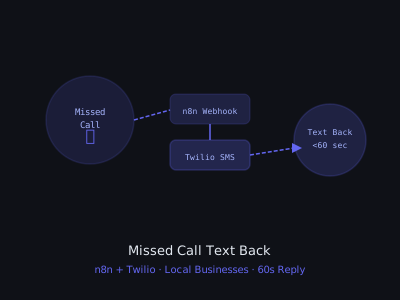
Every missed call a local business doesn't answer is a potential customer walking to a competitor. Studies show that 85% of callers who can't reach a business will not call back. A missed call text-back automation sends an SMS within 60 seconds of a missed call, catching that lead before they're gone.
This is one of the easiest automations to sell to local businesses: HVAC companies, plumbers, dentists, restaurants, gyms, anyone who misses calls during busy hours. Setup takes 2 hours and you can charge $300–$600 one-time plus $100–$200/month. This tutorial walks through the full build from Twilio configuration to handling replies, plus how to pitch this to clients and common mistakes to avoid.
Why This Is the #1 Automation to Start With
If you're building an AI automation agency and you're not sure what to sell first, start here. Missed call text back has three things that make it the perfect entry-point product:
- Every business has the problem. Any local service business misses calls, during jobs, after hours, over lunch. This isn't a niche pain point. It's universal.
- The ROI is immediate and obvious. You can do the math in front of a prospect in under 60 seconds and they feel it instantly.
- It's fast to build and easy to maintain. Unlike AI chatbots or voice agents, there's no prompt engineering complexity. The logic is simple: missed call → send SMS.
A real example: an HVAC contractor in Texas was missing roughly 15 calls per week during peak summer season. Their average job value was $400. After deploying this automation, they recovered an average of 4 additional booked jobs per week, $1,600/week in revenue that previously walked out the door. The automation cost them $150/month to maintain.
How It Works
The flow is simple:
- A customer calls the business's phone number (a Twilio number)
- The call goes unanswered (rings out or voicemail)
- Twilio fires a webhook to n8n with the caller's number
- n8n sends an SMS to the caller within 60 seconds
- n8n notifies the business owner via Slack or email
- If the customer replies, n8n captures their response and logs it
The entire system lives in two n8n workflows: one that handles inbound call events and sends the text-back, and a second that processes incoming SMS replies and routes them to the business owner.
What You Need Before You Start
Before opening n8n, make sure you have these accounts set up:
- Twilio account, free trial gives you $15 credit, which is more than enough to build and test. You'll need a verified phone number to test SMS.
- n8n instance, self-hosted (Docker on a $5/month VPS works fine) or n8n Cloud. For client work, self-hosted on a DigitalOcean or Hetzner server gives you the best margin.
- Google account, for the Google Sheets logging step. You can swap this for Airtable or Notion if preferred.
- Slack workspace, optional but recommended for the owner notification step. Gmail works as an alternative.
Total monthly cost to run this for one client: approximately $8–$15 (Twilio number + SMS costs + n8n hosting split across clients). Your margin at $150–$200/month is substantial.
Step 1: Set Up Twilio
Go to twilio.com and create an account (or use your existing one). Purchase a local phone number that matches your client's area code. This becomes the forwarding number they advertise.
In the Twilio Console:
- Go to Phone Numbers → Manage → Active Numbers
- Click on the purchased number
- Under Voice Configuration, set A Call Comes In to: Webhook
- Enter your n8n webhook URL (you'll create this next):
https://your-n8n.com/webhook/call-handler - HTTP Method: POST
Also configure the number to forward to your client's real number so live calls still go through. Under Voice Configuration, set Call Status Changes to the same webhook URL, this is what sends the no-answer status after the call times out.
One important detail: Twilio fires the webhook with CallStatus: no-answer only after the call rings out completely (typically 30 seconds). If you want faster detection, set the number's ring time lower, but warn your client that callers get less time to answer before it rolls over.
Step 2: Create the n8n Webhook for Incoming Calls
In n8n, create a new workflow called Missed Call Text Back. Add a Webhook node:
- HTTP Method: POST
- Path: call-handler
- Authentication: None (Twilio signs requests, you can validate the signature later)
- Response Mode: Respond to Webhook
Twilio sends these fields in the webhook payload:
CallStatus: no-answer, busy, completed, failedFrom: caller's phone numberTo: your Twilio numberCallSid: unique call IDCallerName: caller ID name (if available)
To see exactly what Twilio sends, activate your webhook in n8n (click Listen for Test Event), then make a test call to your Twilio number and let it ring out. n8n will capture the raw payload so you can see every field before building the rest of the workflow.
Step 3: Filter for Missed Calls Only
Add an IF node to only proceed when the call was actually missed:
- Condition 1:
CallStatusequals no-answer - OR Condition 2:
CallStatusequals busy
On the false branch (call was answered), add a Respond to Webhook node with an empty 200 response, you don't need to do anything for answered calls.
This filtering step is critical. Twilio fires multiple webhook events for a single call at different stages: when it starts ringing, when it's answered, and when it ends. Without the IF filter, you'd send a text-back every time someone actually picked up, which would confuse customers and annoy your client fast.
Also add a second condition to prevent duplicate texts: check your Google Sheet to see if you've already sent a text to this number in the last 60 minutes. This prevents two missed calls back-to-back from triggering two SMS messages to the same person.
Step 4: Set Up Twilio Credentials in n8n
Go to Credentials → Add Credential → Twilio API. From your Twilio Console, get:
- Account SID: found on the Twilio Console dashboard
- Auth Token: also on the Twilio Console dashboard (click to reveal)
Save as Twilio Production.
If you're managing multiple clients, create separate Twilio sub-accounts for each one rather than buying multiple numbers under the same account. Sub-accounts give you isolated billing, separate credentials, and cleaner reporting. You can create them inside the Twilio Console under your main account. This also protects you if a client ever churns, you just hand over their sub-account credentials cleanly.
Step 5: Send the Text Back SMS
On the true branch of your IF node (missed call), add a Twilio node:
- Resource: SMS
- Operation: Send
- From: your Twilio phone number (format: +1XXXXXXXXXX)
- To:
{{$json.From}} - Message body: personalized SMS text
Example SMS templates that convert well:
Hi! This is [Business Name], we just missed your call. We're sorry we couldn't answer. Can we call you back, or would you like to reply with what you need? We'll get back to you ASAP.
Hey, this is [Business Name]. We missed your call just now, still available? Reply YES and we'll call you right back, or just text us what you need.
A few SMS copywriting rules that matter in practice:
- Stay under 160 characters, longer messages get split into multiple SMS segments by carriers, which costs double and sometimes arrives out of order.
- Include the business name, the caller doesn't recognize your Twilio number. If you don't identify yourself immediately, most people ignore the message.
- Ask a question or give a clear next action, "Reply YES" or "text us what you need" gives people something to do. Open-ended texts get ignored.
- Don't use ALL CAPS or too many exclamation marks, it triggers spam filters on some carriers and looks unprofessional.
For after-hours calls, use a slightly different template that sets expectations: "Hi, this is [Business Name]. We're closed right now but we got your call. We'll call you back first thing tomorrow morning. Reply to let us know what you need."
To detect business hours, add a Code node before the SMS step that checks the current hour against your client's hours and routes to the appropriate template. Use JavaScript's new Date() with the client's timezone to get local time.
Step 6: Log the Missed Call
Add a Google Sheets → Append Row node to log every missed call:
- Caller Number:
{{$json.From}} - Caller Name:
{{$json.CallerName}} - Call SID:
{{$json.CallSid}} - Timestamp:
{{new Date().toISOString()}} - SMS Sent: Yes
- Reply Received: No
- Status: Awaiting Reply
This logging sheet becomes a genuine selling point for the client. At the end of every month, you can send them a report showing exactly how many calls were missed, how many text-backs were sent, and how many people replied. That data justifies your monthly retainer better than anything you could say in a pitch.
Add a column for Day of Week and Hour of Day (parse from the timestamp). After 30 days, patterns emerge, most clients discover 60–70% of their missed calls cluster in a 3–4 hour window. That insight often leads to an upsell conversation about adjusting staffing or adding a virtual receptionist.
Step 7: Notify the Business Owner
Add a Slack or Gmail node to alert the business immediately:
- Slack message:
📞 Missed call from {{$json.From}} {{$json.CallerName !== '' ? '(' + $json.CallerName + ')' : ''}} — text back sent automatically. - Channel: #missed-calls or DM to the owner
For clients who don't use Slack, Gmail works fine, send to the owner's email with the subject line "Missed call from [number], text back sent". Keep the email body short: number, caller name if available, timestamp, and a note that the system already sent a text-back on their behalf.
Some business owners want SMS notification instead of Slack or email. In that case, add a second Twilio SMS node that texts the owner directly. Just make sure you're texting a different number (the owner's personal cell) from the same Twilio number, this is completely valid and Twilio handles it fine.
One practical tip: include a direct link to the Google Sheet in every notification. Business owners who see a missed call alert and can click straight to the log, rather than hunting for it, engage with the system far more. That engagement leads to better retention.
Step 8: Handle Incoming Replies
Create a second workflow to capture customer replies. Add a new Webhook node with path sms-reply.
In Twilio, configure your phone number's Messaging section:
- A Message Comes In: Webhook
- URL:
https://your-n8n.com/webhook/sms-reply
In this second workflow:
- Webhook receives the reply (fields:
From,Body,MessageSid) - Google Sheets: find the original missed call row by phone number
- Google Sheets: update
Reply Received = Yes,Reply Content = {{$json.Body}} - Slack: notify owner,
💬 Reply from {{$json.From}}: {{$json.Body}} - Twilio SMS: send a confirmation, "Got it! Someone will call you back shortly."
The reply handling workflow is where you can get more sophisticated. Add an OpenAI node between the webhook and the notification step to classify the reply intent. A simple prompt like "Classify this SMS reply as one of: booking-request, pricing-question, callback-request, already-handled, spam. Reply: [message body]" lets you route hot leads differently, for example, sending a "booking-request" reply to a booking link automatically rather than just notifying the owner.
This optional AI routing layer turns a simple text-back into something more powerful, and it's easy to upsell to clients once the base system is running. The OpenAI API cost for classifying 200 SMS replies per month is roughly $0.10, essentially free.
Step 9: Respond to the Webhook
Twilio expects a TwiML response from your webhook within 15 seconds or it times out. Add a Respond to Webhook node at the end of your main flow:
- Response Code: 200
- Response Data:
<Response></Response>(empty TwiML, tells Twilio to hang up gracefully) - Response Headers:
Content-Type: text/xml
If you skip this step, Twilio logs a warning and the call behavior can become unpredictable. The empty <Response></Response> is the correct TwiML for "do nothing and hang up" don't use a plain 200 with empty body here, use the XML.
Handling Edge Cases and Common Problems
After building this for multiple clients, a few edge cases come up consistently:
The customer calls back before the SMS arrives. This happens occasionally when someone calls, hangs up after one ring, then immediately calls again. The first call triggers a no-answer status and queues the text-back, but by the time it sends, the person is already on the phone. The fix: add a 30-second delay node before sending the SMS, then check the Google Sheet for a CallStatus: completed entry in the last 2 minutes for the same number. If one exists, skip the text-back.
The business owner forwards their real number to the Twilio number but people call both. Some clients will advertise the Twilio number but still have their personal cell on their website. This creates confusion. Nail down with the client upfront: the Twilio number is the only number they advertise. Their personal cell is internal only.
Spam callers trigger the text-back. Robocalls and spam calls will fire your webhook with a no-answer status just like real calls. Add a simple blocklist check, a column in the Google Sheet labeled "Blocked Numbers" and check against it before sending any SMS. You can also filter out numbers with a 000 area code or other obvious spam patterns.
The Twilio webhook URL changes when you update n8n. If you're on n8n Cloud or move servers, your webhook URL path can change. Build the habit of using a consistent path format (/webhook/client-name-call-handler) and documenting every client's Twilio settings in a shared Notion or Google Doc. When something breaks at 2am, you want to find the Twilio settings in 30 seconds, not 30 minutes.
Selling This to Local Businesses: The Exact Pitch
The ROI conversation is what closes this. Don't lead with technology, lead with lost revenue. Here's the framework:
- Ask how many calls they miss per week. Most business owners have no idea. A safe starting estimate is 10–20% of total inbound calls. If they get 50 calls/week, assume 5–10 are missed.
- Ask their average job or transaction value. For plumbers it's $300–$800. For dentists it's $500–$2,000. For HVAC it's $200–$3,000.
- Do the math out loud. "If you miss 8 calls a week and convert 30% of them, that's 2.4 jobs per week you're losing. At $400 average, that's $960 per week, about $4,000 per month walking out the door."
- Price it against one recovered job. "This system costs $150/month. If it recovers even one job per month, it's already paid for itself five times over."
The objection you'll hear most often: "We already have voicemail." The response: "85% of people who can't reach a business don't leave a voicemail and don't call back. They just Google your competitor. A text-back catches them before they search." That stat lands every time.
For the demo, don't show a screenshot of n8n. Call their number from your cell and let it ring out, then show them the text that arrives on your phone 45 seconds later. The demo is the pitch. Nobody says no after seeing it work live.
Industries That Convert Best
Not every industry responds equally to this pitch. From experience, these convert fastest:
- HVAC and plumbing, high job value, frequently on-site and unavailable during calls, strong ROI math
- Roofing and contractors, same dynamics, plus seasonal surge periods where every lead matters
- Dental and medical practices, front desk is often slammed, appointment value is high, patients shop around fast
- Law firms, potential client calls are time-sensitive, high value per intake, and many small firms don't have dedicated receptionist coverage
- Auto repair shops, busy shop floor, phones often go to voicemail during inspections
Avoid restaurants as a starting pitch, they have high call volume but low per-call value, and the staff is usually too busy to engage with the notification workflow properly.
What to Charge and How to Position It
Position this as "never losing another lead to a missed call." For a plumbing company that misses 10 calls a week and closes 30% at $300 average job value, that's $900/week in potential lost revenue. Your $200/month system pays for itself with one recovered job.
Twilio costs are minimal, roughly $1/month for the number plus $0.0075 per SMS. For 200 missed calls a month, that's about $3 in Twilio fees.
Standard pricing structure:
- Setup fee: $300–$600 (one-time), covers Twilio setup, n8n workflow build, testing, and client onboarding
- Monthly retainer: $100–$200, covers monitoring, SMS costs, monthly reporting, and any adjustments
- Premium tier at $250–$350/month: add AI reply classification, booking link automation, and a monthly ROI report with recovered revenue estimates
At $150/month recurring across 10 clients, that's $1,500/month from a single automation you built once. The build time per new client is about 45 minutes once you have a template workflow to clone.
For more automation ideas for local businesses, check out our n8n AI agent beginner's guide and explore the n8n vs Make comparison to choose the right tool.
Scaling This Across Multiple Clients
Once you have two or three clients on this system, you need a scalable management approach. Here's what works:
Keep one n8n instance and create separate workflows per client. Name them consistently: MCTB - [Client Name]. Each client gets their own Twilio sub-account, their own Google Sheet, and their own Slack webhook or email notification address.
Use n8n's Tags feature to group workflows by client. This makes it easy to find everything related to a specific client quickly. For each client, tag all workflows with their business name.
Set up a master monitoring sheet that aggregates data from all client sheets using Google Sheets IMPORTRANGE. One row per client showing: total missed calls this month, reply rate, and system status (active/inactive). This lets you spot if a client's workflow stops firing before they notice, which protects your retainer relationship.
If a client cancels, the offboarding is clean: disable the n8n workflow, release or transfer the Twilio number, and archive the Google Sheet. Total time: 10 minutes.
Get the Free Template
The complete n8n missed call text-back workflow template is available for free inside our community. Import the workflow, connect your Twilio credentials, update the Google Sheet ID, and deploy this for a client the same day.
Join Kingstone AI Operators, free, to access all templates.
Want to learn how to build and sell AI automations? Kingstone AI Operators is our free community for AI automation agency builders. Join Kingstone AI Operators, free.
FAQ
Frequently Asked Questions
How do I build a missed call text back system using n8n?
In n8n, create a workflow with a Webhook node that receives POST requests from Twilio when calls come in. Add an IF node to filter for CallStatus values of no-answer or busy. On the true branch, add a Twilio SMS node to send the text-back message to the caller's number. Add a Google Sheets node to log the missed call, and a Slack or Gmail node to notify the business owner. The build takes about 2 hours once you understand the flow.
What Twilio settings do I need for missed call text back with n8n?
In Twilio Console, purchase a local phone number with Voice and SMS capabilities. Under Voice Configuration, set 'A Call Comes In' to Webhook and paste your n8n webhook URL. Set HTTP Method to POST. Also configure the Messaging section to point to a second n8n webhook for handling SMS replies. In n8n, set up Twilio API credentials using your Account SID and Auth Token from the Twilio Console dashboard.
How much can I charge for a missed call text back automation?
Standard pricing is $300-$600 one-time setup fee plus $100-$200 per month recurring. Your actual Twilio costs are approximately $1/month for the number plus $0.0075 per SMS, which totals about $3/month for 200 missed calls. Position the value using ROI: for a plumbing company missing 10 calls per week at $300 average job value, that is $900/week in potential lost revenue. Your $200/month system pays for itself with one recovered job.
How do I filter for missed calls only in n8n Twilio webhook?
Twilio sends multiple webhook events per call with different CallStatus values: ringing, in-progress, completed, no-answer, busy, and failed. Add an IF node after your Webhook node with the condition: CallStatus equals no-answer OR CallStatus equals busy. Only the true branch should trigger the text-back SMS. On the false branch, return an empty 200 response. This prevents sending text-backs for calls that were actually answered.
What SMS templates work best for missed call text back?
Effective templates are under 160 characters, include the business name, sound human, and provide a clear next step. Example 1: 'Hi! This is [Business], we just missed your call. Can we call you back, or reply with what you need? We will get back to you ASAP.' Example 2: 'Hey, this is [Business]. We missed your call just now, still available? Reply YES and we will call you right back.' Create separate templates for business hours versus after hours.
How do I handle customer SMS replies in n8n after the text back?
Create a second n8n workflow with a Webhook node on a separate path (like /sms-reply). In Twilio, configure your phone number's Messaging webhook to this URL. When replies arrive, the webhook receives the caller's phone number and message body. Use Google Sheets to find the original missed call record, update the reply status, notify the business owner via Slack with the reply content, and send a confirmation text back to the customer.
Program · 90 days
Client Accelerator bundles the demo software with live coaching.
A one-time $1,499 purchase, or 4 interest-free payments of $374.75. Includes Ciela AI with 150 personalized demos each month throughout the program, the 90-Day AI Client System, two live group coaching calls every week, sales and outreach templates, 200+ n8n workflow templates, and private Build With Adhiraj resources.
See what is includedCiela AI is the demo platform for AI agencies and AI consultants. It turns any prospect's website into a live, personalized AI demo (chat, voice, or missed-call text-back) you can send before the first call.
Start Client AcceleratorCiela AI pricingAgent builds by nicheAll articles
Community · Training
Join Build With Adhiraj free.
Build With Adhiraj is the free community for people building and growing AI service businesses. Learn alongside other operators as you package, demonstrate, sell, and deliver practical AI systems.
Join Build With Adhiraj free