
How to Manage Multiple AI Automation Clients Without Burning Out
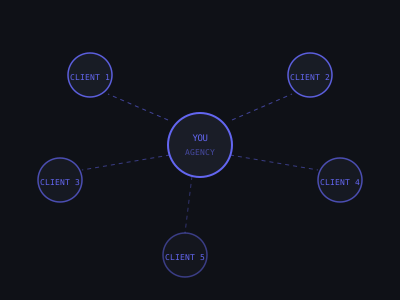
The first 3 clients feel manageable. You're on Slack with each of them, you remember every detail, and you deliver on time. Then you hit 8 clients and everything breaks. You're constantly switching contexts, forgetting follow-ups, and working weekends to keep everyone happy.
Burnout in AI automation agencies almost always comes from the same root cause: manual client management at a scale that requires systems. The solution isn't working harder, it's building the infrastructure to serve 20 clients with the energy it used to take to serve 5.
This guide covers the exact systems, tools, and boundaries that make multi-client management sustainable. Every section is based on how operators actually running 10–20 client AI agencies structure their work.
Where Solo AI Agency Owners Spend Their Time (Weekly Average, 10+ Clients)
The Capacity Math: Know Your Ceiling Before You Hit It
Before building client management systems, understand your actual capacity. Most solo AI automation agency owners can sustainably handle 8–12 retainer clients. Here's how to calculate yours:
- Weekly available hours: How many hours do you realistically have for client work? Not 60. Most people have 30–40 hours of productive, focused work per week.
- Hours per client per month: Track this for your current clients. Retainer clients typically need 4–8 hours/month for maintenance, reporting, and communication. Complex multi-system clients can run 12–15 hours.
- Maximum clients: Available hours ÷ average hours per client = your sustainable ceiling
Example: 120 hours/month available ÷ 8 hours per client = 15 clients maximum. Build your systems to support 15 before you have 15.
The mistake most operators make is not tracking actual time per client. You think a client takes 6 hours/month. You check your time tracker and it's 14. That one mismatch explains why you're exhausted. Start time tracking by client on day one, even a free tool like Toggl is enough. After 60 days you'll have an accurate picture of which clients are profitable and which are eating your margins.
A useful way to segment your client base is by complexity tier:
- Tier A (low complexity, 3–5 hrs/month): Single automation, stable systems, low touch. Example: a barbershop running a missed-call text-back that rarely needs attention.
- Tier B (medium complexity, 6–10 hrs/month): 2–4 automations, occasional changes, monthly reporting. Example: a dental practice with appointment reminders, review requests, and a missed-call system.
- Tier C (high complexity, 11–18 hrs/month): Multi-stack builds, frequent changes, integration-heavy, or high-maintenance clients. Example: a real estate team with CRM sync, lead scoring, drip sequences, and weekly strategy calls.
A solo operator can handle roughly 10 Tier A clients, 6 Tier B clients, or 3–4 Tier C clients, or some combination. Charge accordingly. Tier C clients should pay 2–3x more than Tier A. If they're not, you're subsidizing complexity.
System 1: Client Communication Protocols
The biggest time drain in most agencies is unstructured, always-on client communication. If you are still figuring out how to land your first clients, see our guide on AI agency client acquisition, but even at the early stage, setting communication protocols from day one saves you from rebuilding habits later. Clients text at 11pm. They message on 4 different platforms. Every "quick question" becomes a 30-minute context switch. The research on context switching is brutal: it takes an average of 23 minutes to regain full focus after an interruption. At 10 clients, even 2 interruptions per client per week is 460 minutes lost, nearly 8 hours of destroyed deep work.
Fix this with a communication protocol you share in writing at onboarding. The script matters: don't present it as a limitation, present it as a feature of working with you.
- One channel only: All communication through Slack (dedicated channel per client) or a client portal. No texting, no email, no DMs. If a client messages you on WhatsApp, respond once: "Hey, jumping over to Slack to keep everything in one place!" and then don't respond on WhatsApp again.
- Response SLA: Non-urgent messages replied to within 24 business hours. Urgent issues (system down) replied to within 2 hours during business hours. This SLA should be in your contract, not as a limitation but as a reliability guarantee.
- Weekly async update: Every Monday, send a 3–5 sentence update covering what ran last week, any issues resolved, and what's planned. This preempts 80% of "how's it going?" messages. Clients don't ask for updates when updates are already arriving.
- Monthly check-in call: 30 minutes, standing calendar invite. Review results, discuss optimizations, take any major requests. This is the only time for strategic discussions, not ad hoc calls.
A practical template for your Monday update:
"Quick update for the week: Your lead follow-up sequence processed 47 new leads (up from 38 last week). We fixed a timing issue on Tuesday that was delaying texts by 4 hours, all resolved. This week we're setting up the review request automation we discussed. No action needed from your end."
This takes 3 minutes to write and makes the client feel informed and confident. Multiply that by 12 clients: 36 minutes every Monday to prevent 8+ reactive support messages throughout the week.
Use Loom for anything that would take more than 2 paragraphs to explain in text. A 90-second Loom showing a dashboard or walking through what you built communicates more than a 400-word message, and takes less time to create. Most clients prefer it.
System 2: Project Tracking That Scales
Every client engagement needs a dedicated workspace with a standard structure. Using ad hoc notes, email threads, and memory doesn't scale past 4 clients.
The goal is a system where someone other than you, a new hire, a contractor, your future self after a two-week vacation, can pick up any client account and know exactly what's been built, what's outstanding, and what the history is.
For each client, maintain a master document with these sections:
- Account overview: Business type, key contacts, start date, retainer amount, renewal date, notes on relationship
- Automations deployed: Every live workflow with its name, platform, launch date, what it does, and current status (green/yellow/red)
- Access log: Which tools, platforms, and accounts you have access to, stored as references to the password manager, not the actual credentials
- Active requests queue: Everything they've asked for that hasn't been built, with the date requested and its priority
- Monthly performance log: Key metrics from each reporting period, leads processed, bookings generated, response rates, whatever you agreed to track
- Issues log: Every problem encountered, when it happened, what caused it, and how it was resolved
Spend 15 minutes at the end of each week updating every client's master document. This weekly review is also how you catch problems before clients do, if lead volume drops 30% week over week, you want to identify that on Friday, not when the client asks about it Monday.
For project management tools, Notion and ClickUp are both well-suited. Notion works better if you value flexible docs; ClickUp works better if you want task assignment and deadline tracking. A simpler option for very early-stage agencies is Trello: one board per client, columns for Backlog / In Progress / Complete / Reported. For a detailed comparison of tools suited to automation agencies, see our guide on best project management tools for AI automation agencies.
One addition that experienced operators swear by: a simple client health dashboard. A single shared Notion page or spreadsheet with one row per client and columns for: last update sent, last call date, open requests count, monthly hours used, and a red/yellow/green status. Takes 10 minutes to update weekly and gives you a complete picture in 30 seconds.
System 3: Automated Monitoring So You're Not Babysitting Workflows
Manual monitoring, logging into n8n or Make every day to check if workflows are running, is unsustainable past 5 clients. You need automated alerting that tells you when something breaks before the client notices.
Build a monitoring layer using n8n itself. The setup is straightforward:
- Error webhooks: Configure every critical workflow to send a webhook to a central monitoring workflow when it encounters an error. n8n has native error triggers. Make has error handlers. Both can POST to a webhook on failure.
- Centralized alert workflow: A single n8n workflow receives all error webhooks and routes them to a Slack channel (#client-alerts) with the client name, workflow name, error message, and timestamp.
- Volume anomaly detection: For workflows with consistent daily volume (e.g., a lead follow-up that typically processes 10–30 contacts/day), set up a daily check that alerts if volume drops below a threshold. A workflow processing 0 contacts is broken, you want to know that at 9am, not when the client calls.
- Heartbeat monitoring: For time-sensitive workflows, run a daily "heartbeat" check, a test trigger that confirms the workflow executes successfully and sends a "system healthy" log. If the heartbeat fails, you get alerted immediately.
This monitoring setup takes about 4 hours to build once and then runs itself. The ROI is enormous: instead of manually checking 12 client accounts daily (30+ minutes), you receive proactive alerts and only act when something actually needs attention.
Combine this with automated weekly reporting. Build a single n8n workflow that runs every Friday, pulls metrics from each client's automations (leads processed, workflows executed, error rate), formats them into a simple summary, and either posts to their Slack channel or sends an email. This alone saves 2–4 hours per week at 10+ clients.
Impact of Each System on Reducing Agency Owner Burnout
System 4: Scope Creep Prevention
Scope creep is the silent killer of agency profitability and a major driver of burnout. For a detailed breakdown of how to structure your pricing and retainer packages to minimize this problem upfront, read our AI agency retainer model guide. A client who pays $1,500/month for a lead follow-up system starts asking for email campaigns, social media automation, and a custom dashboard. Each request is "small," but together they add up to 20 hours of unpaid work per month. You're delivering $4,000 of value for $1,500.
The antidote is a tight scope definition in every contract and a structured process for handling new requests. Here's the exact framework:
- Define the scope explicitly in the contract: Not just "AI automation services" but "This engagement covers: (1) missed-call text-back system, (2) new lead follow-up sequence (3 touchpoints), (3) monthly performance report, and up to 2 hours of maintenance and optimization per month."
- Define what is NOT included: "New automation builds, integrations with platforms not listed above, and ad hoc strategy consulting are not included in this retainer and are quoted separately."
- Use a change order process: Any request outside scope requires a written change order (can be a simple email confirmation) with a price and timeline before work begins. No exceptions.
- Frame new requests as opportunities, not problems: "That's a great idea, it's outside the current scope, but I can put together a quick quote for you. Most setups like this run $400–600. Want me to do that?"
- Track every out-of-scope request: Keep a log. A client who asks for 4 new things in 3 months is a client ready to expand their retainer. Use the log to start that conversation: "You've requested several additions this quarter. It might make sense to move you to our Growth package so we can tackle these without back-and-forth on quoting."
Most scope creep happens because the initial scope was vague. Invest time upfront writing a precise scope definition. A client who understands exactly what they're buying almost never tries to expand it without paying, they simply didn't know where the line was.
System 5: The Weekly Client Operations Rhythm
With 10+ clients, you can't manage reactively. You need a structured weekly operating rhythm that batches similar work and protects time for deep execution.
Here's a proven week structure for a solo operator managing 10–15 clients:
- Monday morning (90 min): Review automation monitoring dashboard and Slack alerts from the weekend. Check volume anomalies. Fix any Priority 1 issues. Send weekly async updates to all clients. Review the week's project queue.
- Monday afternoon + Tuesday: Deep build work. New automations, change orders, significant optimizations. This is protected time, no calls, Slack on DND unless urgent.
- Wednesday: Client calls. All calls batched into one day. If a client wants a call outside this window, they wait unless it's genuinely urgent.
- Thursday: Continued build work, optimization, and support tickets from the week.
- Friday morning (90 min): Update all client master documents. Log hours. Review metrics for any reporting clients. Flag issues for the following week. Review what shipped.
- Friday afternoon: Administrative work, business development, sales calls, content.
The key discipline is protecting Monday and Thursday afternoons and Tuesday as deep work blocks. Context switching between client calls and technical build work costs you roughly 25% of your productive output. When a client calls on Tuesday, the answer is: "I'm in build work today, I can connect Wednesday or I can answer your question async now if you send it over." Most clients respect this once they understand it.
Batching client calls to Wednesday also has an underappreciated benefit: you show up to every call with fresh context because you just reviewed everyone's documents on Friday and sent updates on Monday. You're never scrambling to remember what's happening with an account 5 minutes before a call.
System 6: The Support Triage Framework
Not all support requests are equal. Responding to every request with equal urgency burns you out and trains clients to expect instant responses for non-urgent issues.
Implement a 3-tier triage system and document it in your onboarding materials:
- Priority 1, System Down (respond in 2 hours during business hours): An automation is completely non-functional. Leads are not being contacted. Calendar booking is broken. Active customer interactions are failing. These are rare but real emergencies that justify interrupting other work.
- Priority 2, Degraded Performance (respond within 24 hours): A component is working but underperforming. Response times are slower than expected. Booking rate dropped significantly. An integration is throwing occasional errors. Serious but not on fire.
- Priority 3, Enhancement Request (respond within 3 business days): New feature requests, reporting questions, non-urgent optimizations, strategic discussions. This is the vast majority of client communication.
When a client submits a Priority 3 request and expects a Priority 1 response, the answer is honest and kind: "Got it, adding this to your queue. These enhancements typically get scoped and started within 3 business days. I'll confirm the timeline by [specific date]."
Setting this expectation during onboarding is critical. Walk through the three tiers on your first call. Show them what qualifies as each. Clients almost never abuse the Priority 1 channel when they understand what it's for, they use it appropriately because the framework makes sense to them.
One practical addition: a simple intake form for support requests. A Typeform or even a Google Form with fields for "Describe the issue," "Which automation is affected," and "What priority do you believe this is?" routes requests cleanly, forces clients to articulate the issue before you respond, and often causes them to self-serve answers by describing the problem in writing.
Managing Client Relationships at Scale Without Losing the Human Element
Systems can feel impersonal, and some clients will notice if you go from responsive and warm to process-driven and distant. The trick is to build personal touches into the system rather than relying on spontaneous relationship-building that doesn't happen when you're managing 12 accounts.
- Quarterly business reviews (QBRs): Once per quarter, replace the regular 30-minute check-in with a 60-minute QBR. Come prepared with a deck showing results, ROI, what you've built, and 3 recommendations for the next quarter. This positions you as a strategic partner, not a vendor. Clients who get QBRs churn at a fraction of the rate of clients who only get operational updates.
- Personalized CRM notes: Keep a field in your client master doc for personal notes, their kids' names, major business milestones, challenges they mentioned on calls. Reference these naturally. "How did the product launch go?" takes 5 seconds to ask and creates disproportionate goodwill.
- Win notifications: When a client's automation produces a notable result, 50 leads in a week, a new booking record, send a quick message calling it out. "Just noticed your follow-up sequence booked 12 appointments this week, best week yet. Nice." Takes 30 seconds. Creates a moment that clients remember and share.
- Annual reviews and proactive pricing conversations: Don't let clients be surprised by price increases. At the 10-month mark, send a summary of annual results and open a conversation about their plans for next year. This is also when you surface expansion opportunities naturally.
When to Hire Your First Team Member
The right time to hire is before you're overwhelmed, not after. These are the signals that you need to bring on help:
- You're consistently working 50+ hours/week for more than one month
- You're turning down qualified new clients because you're at capacity
- Client response times are slipping despite following the protocols above
- You haven't taken a full day off in 3+ weeks
- You're spending more time on maintenance and admin than on builds and sales
Your first hire should be a junior automation builder or VA who can handle routine maintenance tasks, monitoring, reporting, and initial support triage. This frees you to focus on sales and new builds, the highest-leverage activities.
For a part-time automation builder, expect to pay $20–35/hour. Start with 10–15 hours/week. Your job becomes reviewing their work and handling client-facing communication, not building everything yourself. The ROI math is straightforward: if you're at $12K MRR with 10 clients and a builder costs $2K/month, you only need to close one new client to break even, and now you have the capacity to close that client.
Critically: document everything before you hire. Your SOPs, your client master doc templates, your workflow naming conventions, your change order process, all of it needs to be written down. A new hire who doesn't have documentation defaults to asking you questions, which recreates the bottleneck. Onboarding a new hire into a documented system takes 1–2 weeks. Onboarding them into chaos takes months and often fails. For guidance on creating that documentation, see how to create SOPs for AI automation delivery.
The Ruthless Prioritization Rule
When managing 10+ clients, you will always have more requests than capacity. Apply this daily prioritization rule to decide what actually gets done:
- Do first: Broken systems. Revenue is at risk for a client. This is non-negotiable.
- Do second: Billable work. Change orders and new builds that expand retainers. This directly grows your revenue.
- Do third: Optimization work. Improving existing automations, improving conversion rates, improving reliability. This protects retention.
- Do last: Administrative work. Updating docs, formatting reports, organizing files. Important but never urgent.
There's a common trap here: getting caught in permanent Tier 3 work because it feels productive without being high-leverage. Optimizing a workflow that already runs fine is less valuable than closing a new client or building a change order a client is waiting on. Know the difference and prioritize accordingly.
Anything that doesn't fall into one of these categories gets batched into a specific time block or delegated. Creative work, learning, and professional development should happen in a protected window, typically early morning or late Friday, not during client execution hours. Mixing them degrades both.
The Real Cause of Burnout (And How to Actually Prevent It)
All of the systems above address the practical side of burnout. But there's a deeper pattern worth naming: most agency owner burnout doesn't come from too much work. It comes from a feeling of being out of control, where demands are unpredictable, effort doesn't feel recognized, and there's no path to getting on top of things.
The systems in this guide are ultimately about regaining control. When you know exactly what every client's status is, when communication comes through one channel with clear SLAs, when monitoring alerts you before clients do, when you know your ceiling and are below it, the work stops feeling like it's chasing you and starts feeling like something you manage.
Two non-system practices that experienced multi-client operators consistently cite:
- A weekly review habit: Every Friday, spend 20 minutes answering three questions: What got done? What didn't? What's the one highest-leverage thing for next week? This closes the mental loop at the end of the week so the weekend actually feels like a weekend.
- Hard stop times: Pick a time, 6pm, 7pm, whatever, after which you do not respond to client messages. If a client sends a non-urgent message at 9pm and you respond at 9:05pm, you have just trained that client to expect 9pm responses. The response SLA you set in your contract is your protection here. You are not obligated to respond to a Priority 3 message before tomorrow morning.
The clients who benefit most from your work are the ones who get a focused, well-rested version of you, not the version that's responding to Slack messages at midnight. Building boundaries into your operation isn't selfish; it's what sustains the quality of service your clients are paying for.
Want to learn how to build and sell AI automations? Kingstone AI Operators is our free community for AI automation agency builders. Join Kingstone AI Operators, free.
FAQ
Frequently Asked Questions
How many AI automation clients can one person manage without burnout?
Most solo agency owners can effectively manage 8-12 retainer clients before quality starts to degrade. The exact number depends on the complexity of each client's automations and how well you've systematized your delivery. With strong SOPs, automated monitoring, and batched client communication, some operators scale to 15-18 clients solo. Beyond that, you need at least one team member.
How do I prevent burnout when managing multiple AI automation clients?
Batch similar tasks together (all client check-ins on Monday, all reporting on Wednesday), use automated monitoring and alerting so you're not manually checking workflows, create SOPs for every repeatable process, set clear boundaries on response times in your contracts, and prioritize which client requests are urgent versus routine. The biggest burnout driver is reactive work, proactive systems eliminate most emergencies.
When should I hire my first team member for my AI automation agency?
Hire before you're overwhelmed, not after. Key signals: you're consistently working more than 50 hours/week, client response times are slipping, you're turning down new clients because of capacity, or your existing deliverable quality is declining. The first hire is typically a part-time automation builder at $20-$35/hour who handles builds while you focus on sales and client relationships.
What tools help manage multiple AI automation clients efficiently?
Use a project management tool (Notion, ClickUp, or Asana) with a client-per-board structure. Set up automated monitoring with n8n that alerts you via Slack when any client workflow errors. Use Loom for async client updates instead of scheduling calls. Automate weekly reporting so it sends without manual work. Track time per client to identify accounts that are disproportionately consuming your capacity.
How do I prioritize tasks when managing multiple AI automation clients?
Use a three-tier priority framework: Tier 1 (respond within 2 hours) for broken automations affecting live customer interactions, Tier 2 (respond within 24 hours) for optimization requests and minor issues, Tier 3 (scheduled) for new feature requests and strategic improvements. Communicate this framework during onboarding so clients understand the prioritization and set appropriate expectations.
How do I scale my AI automation agency beyond solo capacity?
The scaling path is: systematize delivery with SOPs, automate monitoring and reporting, hire a part-time builder for technical work, then add a virtual assistant for admin tasks. At $20K+/month revenue, consider a full-time operations person. The key principle is to hire for the role you spend the most time on that isn't sales, sales should be the last thing you delegate because it directly drives revenue.
Program · 90 days
Client Accelerator bundles the demo software with live coaching.
A one-time $1,499 purchase, or 4 interest-free payments of $374.75. Includes Ciela AI with 150 personalized demos each month throughout the program, the 90-Day AI Client System, two live group coaching calls every week, sales and outreach templates, 200+ n8n workflow templates, and private Build With Adhiraj resources.
See what is includedCiela AI is the demo platform for AI agencies and AI consultants. It turns any prospect's website into a live, personalized AI demo (chat, voice, or missed-call text-back) you can send before the first call.
Start Client AcceleratorCiela AI pricingAgent builds by nicheAll articles
Community · Training
Join Build With Adhiraj free.
Build With Adhiraj is the free community for people building and growing AI service businesses. Learn alongside other operators as you package, demonstrate, sell, and deliver practical AI systems.
Join Build With Adhiraj free