
LinkedIn InMail Templates for Selling B2B Services That Actually Get Responses
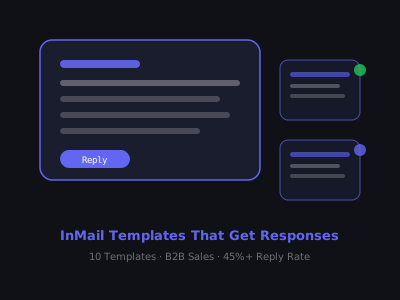
Most LinkedIn InMail messages get ignored. The average InMail response rate hovers around 18-25%, but the top performers hit 45-60% by following a specific formula. The difference isn't creativity or personality. It's structure.
After analyzing thousands of InMail campaigns across SaaS, professional services, and agency sellers, a clear pattern emerges. The messages that generate replies share four traits: a subject line that earns the open, a first sentence that proves you did your homework, a value statement that speaks to a recognized pain, and a CTA so low-friction that responding feels easier than ignoring it. Miss any one of those four, and your response rate collapses.
This guide gives you 10 battle-tested InMail templates for selling B2B services, broken down by use case, industry, and buyer persona. Each template includes the subject line, body copy, and CTA, with notes on why each element works. More importantly, you will learn the underlying principles so you can adapt these templates to any vertical, buyer title, or service offering you encounter. If you would rather start from a draft, our LinkedIn DM generator spins up personalized opening messages you can tighten into any of the templates below. If you are building your LinkedIn network from scratch, start with our guide on finding clients without Sales Navigator and pair InMail with our B2B engagement strategies for a complete outreach system.
Why InMail Outperforms Regular LinkedIn DMs
InMail reaches people you're not connected with. LinkedIn reports that InMail gets 3x higher response rates than email. But that advantage evaporates if you use InMail like a cold email blast. InMail works because the recipient knows it costs you credits, which signals intent. That psychological leverage only works if your message feels personal.
There is also a visibility advantage most sellers overlook. InMails land in a separate inbox tab, which means less competition. A typical decision-maker receives 40-80 emails per day but only 2-5 InMails per week. That lower volume translates to higher attention per message, provided the message earns it. LinkedIn also sends an email notification for new InMails, giving you a second touchpoint that regular connection messages do not get.
The fatal mistake most B2B sellers make: they write InMail that reads like a press release. Long intros, vague value props, and a CTA that asks for too much commitment. The templates below avoid all three. They are built on a principle borrowed from direct response copywriting: every sentence must earn the next sentence. If the subject line does not earn the open, nothing else matters. If the first line does not earn the second, the prospect scrolls past before reaching your offer.
InMail Response Rates by Template Type
Relative response rate, mutual connection InMails can reach 35-50%, while generic messages average 5-10%
The Anatomy of a High-Response InMail
Every effective InMail has four components:
- Subject line (5-7 words): Specific to them, not generic to your offer
- Personalized hook (1-2 sentences): Reference something real about their company or role
- Value statement (2-3 sentences): What you do, who you do it for, the result
- Low-friction CTA: A question or micro-commitment, not a meeting request
Keep total length under 150 words. Anything longer loses attention before the CTA.
To put this into practice, spend 2-3 minutes researching each prospect before writing. Check their recent LinkedIn posts, company news, job listings, and mutual connections. That research fuels the personalization hook, the single element that separates a 10% response rate from a 35% response rate. Without it, even a perfect structure reads like a mass blast. With it, the prospect feels like you wrote this message specifically for them, because you did.
One more structural note: avoid using bullet points or formatted lists inside InMails. They work well in blog posts and emails, but inside the InMail interface they signal a templated message. Keep the body as flowing prose, short sentences, paragraph breaks, conversational tone. It should read like a note from a colleague, not a marketing brochure.
Template 1: The Trigger Event InMail
Best for: Prospects who just got promoted, hired, or announced a new initiative
Subject: Congrats on the [role/news], quick question
Hi [Name], saw you recently [joined / got promoted to] [role] at [Company], congrats. Leaders stepping into this role often face the same challenge: [specific pain point, e.g., scaling outbound without hiring more SDRs].
We help [ICP, e.g., B2B SaaS companies] solve this with [solution in plain English, e.g., an AI-powered outreach system that books 15-20 meetings per month]. Would it be worth a 15-minute call to see if this could be relevant for your team right now?
Why it works: Trigger events create a natural reason to reach out. The congrats opener is warm, not sycophantic. New role holders are actively looking for solutions in their first 90 days, they have budget approval pressure and a mandate to make an impact. This template catches them during that window of maximum openness. To find trigger events at scale, set up LinkedIn Sales Navigator alerts for job changes at your target accounts, or use tools like Bombora or G2 intent data to track companies actively researching solutions in your category.
Template 2: The Mutual Connection InMail
Best for: Prospects with whom you share a 2nd-degree connection you actually know
Subject: [Mutual connection's name] suggested I reach out
Hi [Name], [Mutual Connection] mentioned you're building out [area of business]. I work with [type of company] to [core value prop]. [Mutual Connection] thought we might be a fit given what you're working on.
Happy to share what we've done for similar companies, would a quick call make sense?
Why it works: Social proof from a shared contact removes cold-call awkwardness instantly. This template consistently produces the highest response rates of any approach, 35-50% is typical when the mutual connection is genuine. The critical rule: only use this if you actually spoke with the mutual connection about making this introduction. Fabricating a referral destroys trust permanently. If you have not spoken with the mutual connection recently, use Template 6 or Template 1 instead and mention the shared connection casually rather than as a referral.
Template 3: The Pain-First InMail
Best for: Decision-makers in industries with well-known bottlenecks
Subject: [Company] + [specific problem]
Hi [Name], most [job title]s I talk to at [industry] companies say their biggest frustration is [pain point, e.g., chasing leads who go cold after the first demo].
We built a system specifically for this, [brief explanation]. It's helped companies like [1-2 recognizable clients or types] cut that problem by [metric, e.g., 40%].
Worth 15 minutes to see if it fits your situation?
Why it works: Leading with pain immediately tells the prospect you understand their world. The phrase "most [job title]s I talk to" does two things, it positions you as someone embedded in their industry, and it normalizes the problem so the prospect does not feel singled out. The metric at the end provides just enough proof to warrant a conversation. When using this template, pick a pain point you can back up with a real case study. If the prospect asks for details, you need a story ready, not a vague claim.
Template 4: The Case Study InMail
Best for: Warm prospects who engage with your content or profile
Subject: How [similar company] got [result] in [timeframe]
Hi [Name], recently helped [Company type] go from [before state] to [after state] in [timeframe] using [method].
Noticed [Company] is [observation that makes this relevant, e.g., scaling your outbound team]. This same approach might translate directly.
Would you be open to a quick call to walk through how we did it?
Why it works: A specific case study is the most persuasive asset in B2B sales. The before-and-after structure (from X to Y in Z time) gives the prospect a mental picture of what is possible. Choose a case study from the same industry or company size as the prospect. If your case study is for a $50M SaaS company and you are messaging the founder of a 10-person startup, the gap in relevance will cost you the response. Match the example to the audience as closely as possible, same stage, same vertical, same pain point.
Template 5: The Contrarian Take InMail
Best for: Senior buyers who get pitched constantly and are skeptical of standard approaches
Subject: Most [solution category] advice is wrong
Hi [Name], most [industry] companies are [doing common thing] to solve [problem]. It rarely works long-term because [brief reason].
We take a different approach: [differentiated method]. Companies we work with see [result].
I'd love to hear your take on this, are you seeing the same challenges?
Why it works: Opens a conversation rather than a sales pitch. Senior buyers respond to intellectual framing. The contrarian angle breaks through the pattern of identical pitches landing in their inbox. To craft a strong contrarian take, identify the conventional wisdom in your prospect's industry and articulate why it fails. For example, if every agency pitches "more leads," your contrarian take might be that lead volume is the wrong metric and lead-to-close speed matters more. The CTA asking for their opinion flatters without being obvious, senior leaders enjoy sharing their perspective, and doing so opens the door to a dialogue.
Template 6: The Event or Content InMail
Best for: Prospects who attended the same event, joined the same group, or engaged with your content
Subject: Saw you at [event/group], had a thought
Hi [Name], noticed we both [attended X / are in the Y group]. Your comment on [topic] caught my attention, specifically your point about [detail].
We help [ICP] address exactly that challenge. Based on what you shared, I think there's a specific angle here that could be relevant.
Open to a 15-minute conversation?
Why it works: Shared context creates instant rapport. The specificity of referencing their exact comment proves this is not a mass message. To use this template at scale, attend one virtual event or webinar per week and take notes on the participants and their questions or comments. Each event produces 5-15 qualified InMail opportunities. LinkedIn Groups work the same way, join 3-5 groups where your ideal clients congregate and engage with their posts before sending an InMail. The InMail lands differently when the prospect already recognizes your name.
Template 7: The Direct Value InMail
Best for: Busy executives who appreciate bluntness over warmth
Subject: [Specific deliverable] for [Company]
Hi [Name], I help [type of company] with [specific deliverable, e.g., fully-built AI outreach systems that generate 20+ booked calls per month].
Based on [Company]'s recent [growth/hiring/announcement], I think there's a clear use case here. Happy to send over a short breakdown, interested?
Why it works: No fluff, no warm-up, no small talk. Some executives, particularly in fast-moving tech companies or PE-backed firms, prefer this directness. The CTA offers to send a breakdown rather than asking for a call, which lowers commitment. If they say yes, send a one-page Loom video or PDF with a specific recommendation for their business. That asset becomes the bridge to a live conversation. This template works best when paired with strong profile optimization, the prospect will check your profile before responding, so make sure your headline and summary back up your claim.
Template 8: The Referral Offer InMail
Best for: Partners, agencies, or connectors who can refer you
Subject: Partnership opportunity for your clients
Hi [Name], I work with [ICP] to solve [problem]. Your audience/clients seem closely aligned with who we help.
I'm looking for a few trusted partners to refer clients our way, in exchange for [referral structure, e.g., 15% revenue share or co-branded offering]. Would this be worth a quick conversation?
Why it works: This template shifts the frame from selling to partnering. You are not asking them to buy, you are offering them a way to earn. Referral partners are often the highest-leverage channel for B2B service businesses because the trust transfer is immediate. When structuring the offer, be specific about the economics. A vague "we can work something out" gets ignored. A concrete "15% of first-year contract value, paid monthly" gets a response. Target consultants, complementary service providers, and industry influencers whose audience overlaps with your ICP but who do not compete with you directly.
Template 9: The Re-Engagement InMail
Best for: Prospects you spoke to 3-12 months ago but never closed
Subject: Checking in, things have changed
Hi [Name], we spoke a while back about [topic]. At the time the timing wasn't right.
Since then we've [new development, e.g., launched a new feature, added [relevant client], or cut our onboarding from 4 weeks to 5 days]. Wanted to check in and see if the situation has changed on your end.
Why it works: Re-engagement InMails have a hidden advantage, the prospect already knows who you are and what you do, which eliminates the cold-start problem. The key is giving them a genuine reason to reconsider. A new feature, a new case study from their exact industry, a faster implementation timeline, or a pricing change all work. What does not work: sending the same pitch with a "just following up" wrapper. The subject line "things have changed" creates curiosity about what specifically is different, which drives opens. Keep a spreadsheet of lost deals with the reason they passed, and set quarterly reminders to re-engage with a relevant update.
Template 10: The Question-Only InMail
Best for: High-value targets where any hint of a pitch would be filtered out
Subject: Quick question about [relevant topic]
Hi [Name], genuinely curious, how are you currently handling [specific problem, e.g., qualifying inbound leads before they reach your sales team]?
Asking because we've been seeing a pattern across [industry] that I'd love to share if you're open to it.
Why it works: Zero perceived risk. A question asks for an opinion, not a meeting. This is the most effective template for C-suite executives at companies with 500+ employees, where the decision-maker is insulated by layers of gatekeepers. The question must be genuinely interesting, something the prospect has an informed opinion about. Avoid questions that feel like disguised pitches (e.g., "Have you considered outsourcing your lead gen?"). Instead, ask about their process, their priorities, or a trend in their space. Once they respond, you are in a dialogue, and from a dialogue, a call happens naturally.
How to Personalize InMails at Scale Without Losing Quality
The biggest objection to personalized InMail is time. If each message takes 10 minutes to research and write, and you have 20 InMail credits per month, that is over three hours of prospecting just for InMail. Here is how to compress that without sacrificing response rates.
First, batch your research. Spend 30 minutes building a prospect list of 10-15 targets in Sales Navigator. For each, capture three data points: a recent post or activity, a company trigger event, and a mutual connection. Store this in a simple spreadsheet. Second, pick one template that fits the majority of your batch and customize only the personalization hook and the pain point for each prospect. The structure stays identical, only the specifics change. Third, use LinkedIn's own data. Check if the prospect recently changed jobs, published an article, or commented on a post. These take seconds to find and produce the most natural-sounding personalization.
This process takes 3-5 minutes per InMail instead of 10, and produces messages that feel hand-written because the personalization is real, it is just efficient.
InMail Performance by Day of Week
Relative response rate by send day, Tuesday through Thursday consistently outperforms Monday and Friday
InMail Best Practices That Boost Response Rates
- Send Tuesday through Thursday: Response rates drop 30% on Mondays and Fridays
- Personalize the subject line: Generic subject lines like "Quick question" perform 40% worse than specific ones
- Follow up once: A single follow-up InMail 5-7 days later recovers 15-20% of non-responses
- Use InMail credits on Premium targets: Save credits for decision-makers; use connection requests for everyone else
- Match tone to title: VP-level and above respond to concise, direct language; managers respond to slightly warmer framing
- Test subject lines in pairs: Send the same body copy with two different subject lines to similar prospects and track which pulls more responses over a 2-week period
- Avoid attachments and links in the first InMail: LinkedIn flags messages with URLs as promotional, and prospects instinctively distrust links from strangers, save the resources for your follow-up message
- Write on mobile before sending: Preview your InMail on your phone, if it requires scrolling more than once, it is too long
The Follow-Up Framework: What to Send After No Response
Most sellers either never follow up on an unanswered InMail, or they follow up with a message that is essentially "did you see my last message?" Both approaches waste credits. A follow-up InMail should add new information, not repeat old information.
The best follow-up structure is what top sellers call the "bump with value" approach. Wait 5-7 days after your initial InMail. Then send a second message with a new data point, a relevant case study result, or a brief insight about their industry. Do not reference your original message at all. Just deliver value as if it were a fresh conversation starter. This approach works because many prospects saw your first message, were mildly interested, but did not have enough motivation to reply. The second touchpoint tips them over the threshold.
After two unanswered InMails, stop using InMail credits on that prospect. Switch to engaging with their content, like and comment on their posts for 2-3 weeks, then send a connection request. This multi-channel sequence converts prospects that neither InMail nor connection requests could reach alone.
Pairing InMail With a Full LinkedIn Outreach System
InMail alone won't build your pipeline. The highest-converting LinkedIn outreach strategies combine InMail with connection requests, content engagement, and follow-up sequences. If you want the full system, read our guide on LinkedIn outreach sequence templates for AI agencies.
The most effective cadence looks like this: Day 1, engage with the prospect's content (like or comment on a post). Day 3, send a connection request with a short personalized note. Day 7, if the connection request is still pending, send an InMail using one of the templates above. Day 14, follow up on the InMail with a value-add message. Day 21, engage with their content again. This five-touch sequence across multiple LinkedIn surfaces produces a 25-40% overall response rate, far higher than any single channel alone.
And if you're building an agency from scratch and want to understand where InMail fits in your overall go-to-market, start with our guide on how to start an AI automation agency in 2026.
Tracking and Measuring InMail Performance
You cannot improve what you do not measure. Track four metrics for every InMail campaign: open rate (visible in Sales Navigator), response rate, positive response rate (replies that express interest vs. polite declines), and meeting booked rate. The gap between these metrics tells you exactly where to improve. High opens but low responses means your body copy or CTA needs work. Low opens means your subject line is the bottleneck, and our subject line generator can help you test sharper variants quickly. High responses but low meetings booked means your transition from InMail to call is too aggressive or too slow.
Build a simple tracking system, even a spreadsheet works. Log each InMail with the date sent, template used, subject line, prospect title, industry, and outcome. After 30-50 InMails, you will have enough data to identify which templates perform best for which personas. Double down on those and retire the ones that underperform. Most sellers never do this analysis, which is exactly why their InMail performance stays flat month after month.
What to Do When Someone Responds
Response rate is only half the battle. When someone replies, even negatively, you have an opening. A "not interested right now" is actually valuable: ask when would be a better time and set a reminder. A "tell me more" deserves a voice note reply (see our guide on LinkedIn voice notes for why this works). A question back to you means you've got a warm conversation, reply within 2 hours.
The biggest mistake after getting a response: sending a calendar link immediately. Instead, ask one more qualifying question before proposing a call. This pre-qualifies the meeting and dramatically increases show rates. For example, if they say "this sounds interesting," reply with something like: "Great to hear, quick question before we set up time: are you currently handling [problem area] in-house, or are you evaluating outside solutions?" Their answer tells you how to frame the call, what to prepare, and whether this is a real opportunity or a tire-kicker.
Speed matters more than most sellers realize. LinkedIn data shows that responding within one hour of receiving a reply increases your chance of booking a meeting by 3x compared to responding the next day. Set up LinkedIn mobile notifications for InMail replies and treat them with the same urgency as inbound leads. The prospect's attention is at its peak the moment they hit reply, capture it before they move on to the next thing.
Want to learn how to build and sell AI automations? Kingstone AI Operators is our free community for AI automation agency builders. Join Kingstone AI Operators, free.
FAQ
Frequently Asked Questions
What is the average response rate for LinkedIn InMail in B2B sales?
Generic InMails average 5-10% response rates. Well-crafted, personalized InMails with strong subject lines achieve 15-25% response rates. InMails with mutual connections or referral mentions reach 25-40%. The key differentiator is specificity, InMails that reference the recipient's company, recent activity, or industry-specific challenges dramatically outperform generic templates.
What is the best subject line for a LinkedIn InMail to sell B2B services?
The best subject lines are 3-8 words, create curiosity, and reference the recipient's situation specifically. Examples: 'Question about [Company] lead flow,' 'Saw your post on [topic],' or '[Niche] automation, quick thought.' Avoid generic subjects like 'Great opportunity' or 'Partnership proposal' which get immediately filtered as sales pitches.
How many LinkedIn InMails should you send per month for B2B prospecting?
LinkedIn Premium gives you 5-15 InMail credits per month depending on your plan. Sales Navigator provides 20-50 credits per month. Use InMails strategically for high-value prospects you cannot reach through regular connection requests. Sending all credits in one day wastes the resource, spread them across the month, targeting 3-5 InMails per week to your best prospects.
Are LinkedIn InMails better than connection requests for B2B sales?
They serve different purposes. Connection requests build your network and enable unlimited future messaging. InMails reach people outside your network immediately but are limited by credits and have lower response rates than messages to existing connections. The ideal strategy uses connection requests for volume prospecting and reserves InMails for high-value targets who have not accepted your connection request.
How long should a LinkedIn InMail be for selling B2B services?
Keep the body under 100 words. InMails have more space than connection notes but shorter still performs better. The optimal structure is: one sentence of personalization, one sentence about the problem you solve, one proof point or case study snippet, and one low-stakes question as the CTA. Recipients decide within 5-10 seconds whether to respond.
What is the best time to send LinkedIn InMails for B2B sales?
Tuesday through Thursday between 8-10am in the recipient's local timezone produces the highest response rates. Avoid Monday mornings (inbox overload), Friday afternoons (checked out), and weekends. InMails sent during business hours land in the recipient's notification feed when they are most likely to be active on the platform.
Do LinkedIn InMail templates actually work for selling services?
Templates work as frameworks but not as copy-paste scripts. The structure (subject line, personalization hook, problem statement, proof point, CTA) should be consistent, but the specific details must change for each recipient. InMails that look templated get the same response as spam. Use templates as starting points and customize 30-50% of the content for each prospect.
Program · 90 days
Client Accelerator bundles the demo software with live coaching.
A one-time $1,499 purchase, or 4 interest-free payments of $374.75. Includes Ciela AI with 150 personalized demos each month throughout the program, the 90-Day AI Client System, two live group coaching calls every week, sales and outreach templates, 200+ n8n workflow templates, and private Build With Adhiraj resources.
See what is includedCiela AI is the demo platform for AI agencies and AI consultants. It turns any prospect's website into a live, personalized AI demo (chat, voice, or missed-call text-back) you can send before the first call.
Start Client AcceleratorCiela AI pricingAgent builds by nicheAll articles
Community · Training
Join Build With Adhiraj free.
Build With Adhiraj is the free community for people building and growing AI service businesses. Learn alongside other operators as you package, demonstrate, sell, and deliver practical AI systems.
Join Build With Adhiraj free